前言
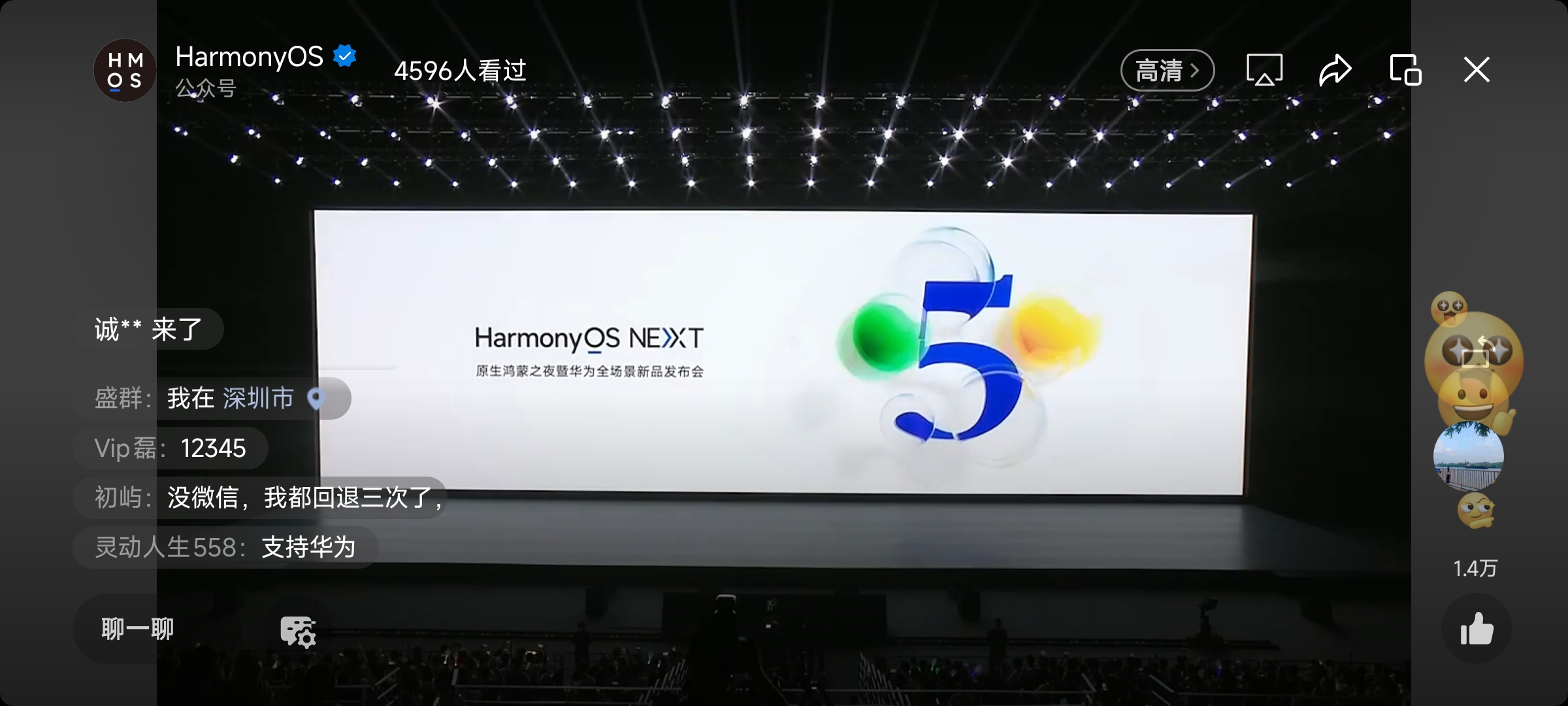
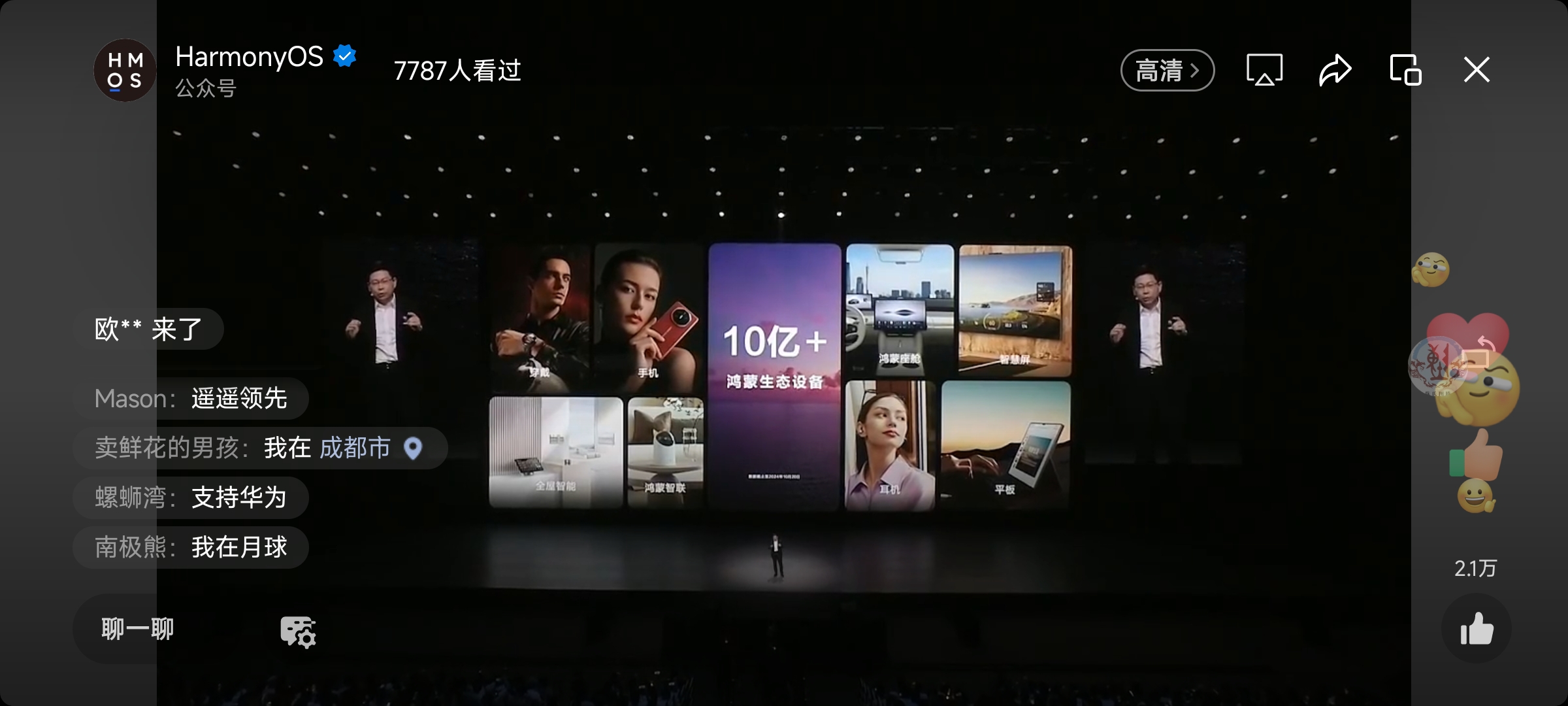
HarmonyOS Next 5.0 和 10亿 的Harmony设备,都意味着新的一个纪元的开启,随着国内各大厂商对 HarmonyOS Next 的适配,安卓,Ios,HarmonyOS Next 天下三分初见雏形。
伴随着 HarmonyOS Next 应用生态的不断壮大,商店中的优质应用日益丰富。此刻的你,与其犹豫不决,不如果断前行,抓住机遇。
新纪元开启,糖果星人速速浸泡!
Harmony开发环境
要开始开发Harmony应用,首先需要正确配置开发环境。
Harmony玩家
如果你是一个Harmony开发者,就比较简单了,直接到 最新工具 - 下载中心 - 华为开发者联盟 (huawei.com) 下载符合你的设备的 DevEco Studio。
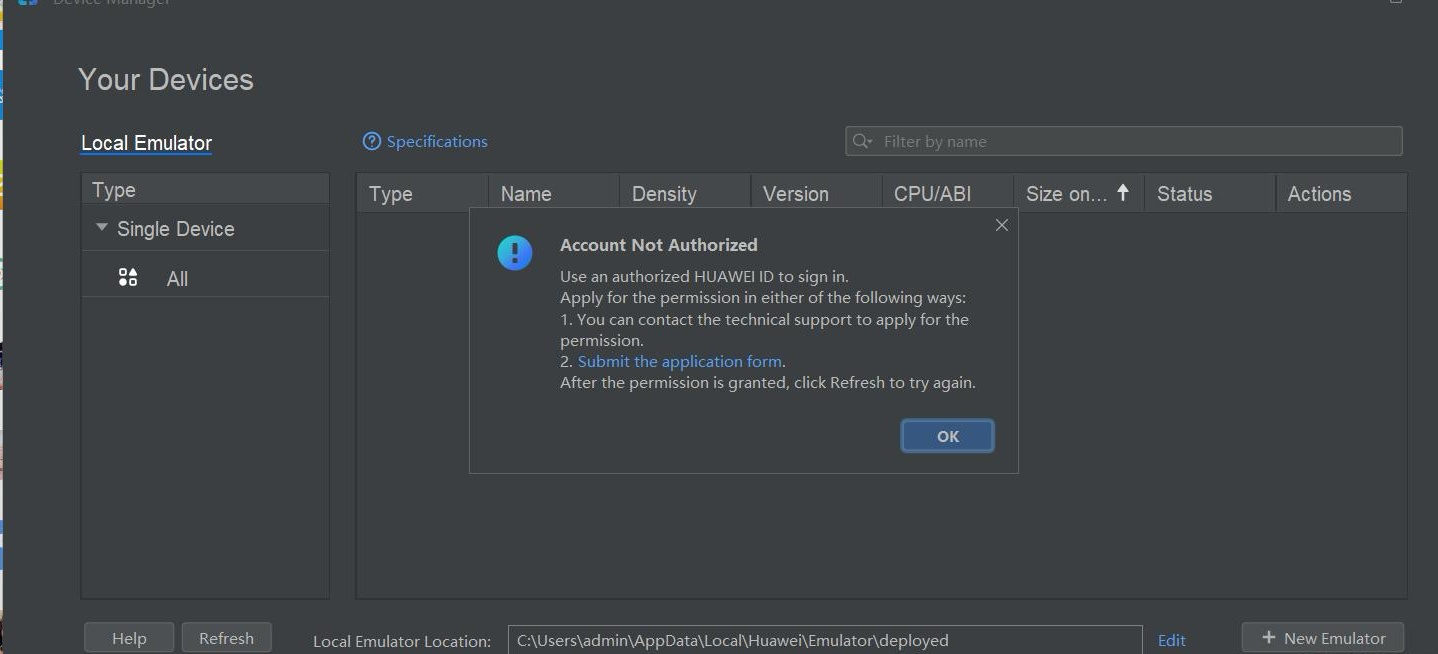
如果你第一次玩,需要创建一个华为开发者账号,后续需要用到。比如如果你使用真机,需要登录账号签名。比如你下载模拟器,需要登录账号,去申请模拟器下载权限。
Flutter Harmony化玩家
目前,社区支持了 3.7.12 和 3.22.0 版本的 Flutter 。
Mac
Mac 分 X86 和 ARM 芯片的。注意,由于目前 Flutter for Harmony 暂时不支持 x86_x64 架构,在 X86 芯片的 Mac 上面,你只能用真机开发。ARM 芯片(即 M1,M2,M3,M4) 可以使用模拟器。
Windows
注意,由于目前 Flutter for Harmony 暂时不支持 x86_x64 架构,所以 Windows 上面你只能使用真机进行开发。
环境配置
准备工作
根据你的情况下载对应的仓库
Mac 和 Linux
我的Harmony相关的内容是放在 /Users/zmtzawqlp/Documents/ohos/flutter/flutter_flutter 中的。
export PATH=/Users/zmtzawqlp/Documents/ohos/flutter/flutter_flutter/bin:$PATH
export PATH=/Users/zmtzawqlp/Documents/ohos/flutter/flutter_flutter/bin/cache/dart-sdk/bin:$PATH

# ohos
export TOOL_HOME=/Applications/DevEco-Studio.app/Contents # mac环境
export DEVECO_SDK_HOME=$TOOL_HOME/sdk # command-line-tools/sdk
export PATH=$TOOL_HOME/tools/ohpm/bin:$PATH # command-line-tools/ohpm/bin
export PATH=$TOOL_HOME/tools/hvigor/bin:$PATH # command-line-tools/hvigor/bin
export PATH=$TOOL_HOME/tools/node/bin:$PATH # command-line-tools/tool/node/bin
Windows
- 去环境变量中添加,下面的键值对。


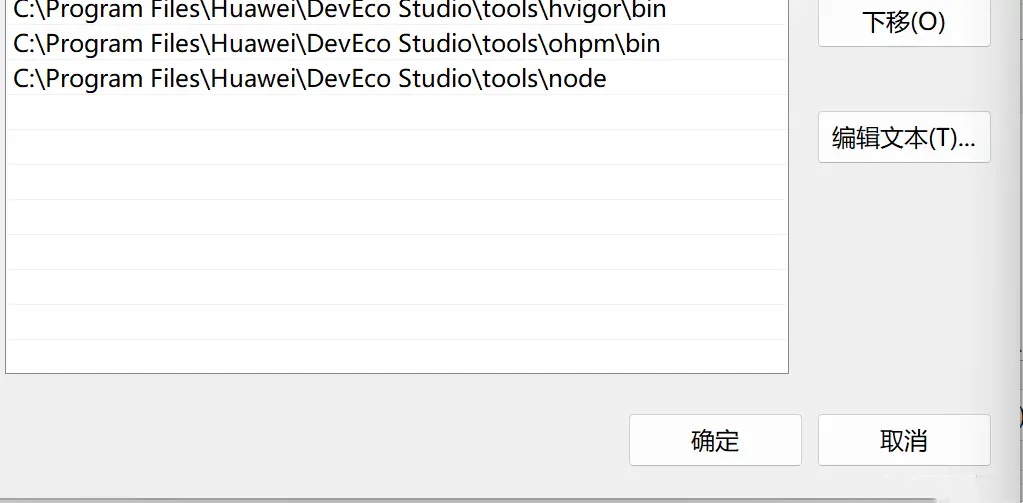
以及 flutter 和 dart 的路径,这里就不截图了。
注意事项
模拟器真机差异
前面说了模拟器与真机之间是有差异的,这导致 Flutter 在Harmony模拟器中,可能某些组件 API不能使用。
模拟器与真机的差异-概述-使用模拟器运行应用/服务-应用/服务运行-DevEco Studio | 华为开发者联盟 (huawei.com)
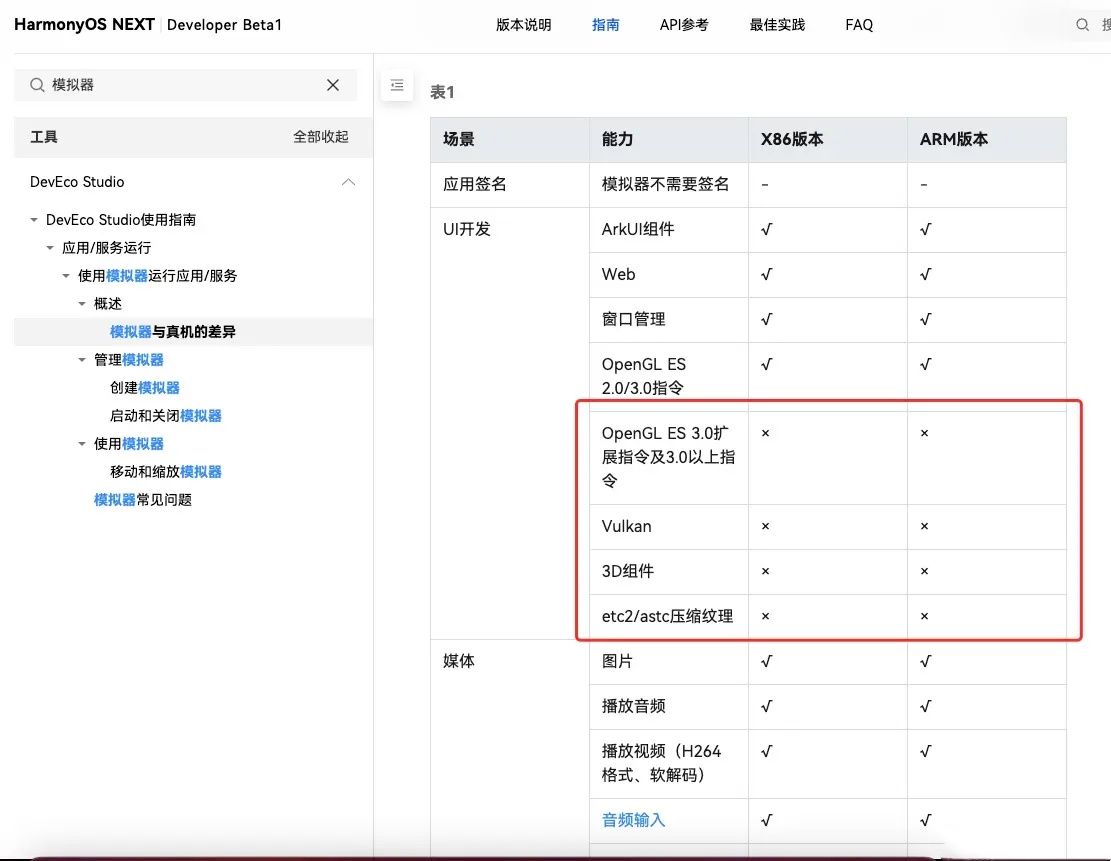
比如说 FloatingActionButton 包含阴影效果,就没法在模拟器中使用,会导致闪退。上图相关的 API 我们都要注意一下。
可以的话,做 Flutter Harmony化最好是使用真机。
模拟器不支持 impeller
创建工程并打开 impeller 开关 当前 Flutter ohos 平台中支持 impeller-vulkan 渲染模式,可通过开关控制是否打开。 开关位于 buildinfo.json5文件中,如果选择关闭impeller 渲染,可将 json 文件中的 value 改为 false。下一次运行时即可关闭。 文件路径:ohos/entry/src/main/resources/rawfile/buildinfo.json5 (初次 flutter create 之后,配置文件位于 profile 目录,首次 run 或 build 之后会搬移到 rawfile 目录)
文件内容:
{
   "string": [
      {
         "name": "enable_impeller",
         "value": "true"
      }
   ]
}
新建工程默认打开 impeller 选项。 对于旧工程,可将以上 buildinfo.json5 文件复制到工程目录的对应路径下( rawfile 目录),并修改value值即可实现开关功能。如果不添加开关,则默认打开 enable-impeller。
编写插件注意事项
关于Harmony的 context
在制作插件中,你可能需要用到 2 种 context。
ApplicationContex
你可以直接从 onAttachedToEngine 方法中获取。
private context: Context | null = null;

  onAttachedToEngine(binding: FlutterPluginBinding): void {
    this.context = binding.getApplicationContext();
  }

  onDetachedFromEngine(binding: FlutterPluginBinding): void {
    this.context = null;
  }
该 context 可以用于获取 applicationInfo 等属性。
let applicationInfo = this.context.applicationInfo;
UIAbilityContext
插件继承 AbilityAware 并且在 onAttachedToAbility 方法中获取。
export default class XXXPlugin implements FlutterPlugin, MethodCallHandler, AbilityAware {
  private _uiContext: common.UIAbilityContext | null = null;

  onAttachedToAbility(binding: AbilityPluginBinding): void {
    this._uiContext = binding.getAbility().context;
  }

  onDetachedFromAbility(): void {
    this._uiContext = null;
  }
}
该 uiContext 可以用于获取 applicationInfo 等属性。
photoAccessHelper.getPhotoAccessHelper(PhotoManagerPlugin.uiContext);
关于插件参数传递
按照以前的习惯,dart 端传递 map 参数,原生端根据 map 解析参数。
但由于 ts 支持将字符串直接转换成对应的 interface ,那么我们可以将 dart 的端的参数。
参数定义
比如 geolocator_ohos 中的 CurrentLocationSettingsOhos 在 dart 端的实现为如下:
Map<String, dynamic> toMap() {
    return {
      if (priority != null) 'priority': priority?.toInt(),
      if (scenario != null) 'scenario': scenario?.toInt(),
      if (maxAccuracy != null) 'maxAccuracy': maxAccuracy,
      if (timeoutMs != null) 'timeoutMs': timeoutMs,
    };
  }

  @override
  String toString() {
    return jsonEncode(toMap());
  }
而在Harmony原生端,对于的 interface 是 CurrentLocationRequest
export interface CurrentLocationRequest {
    priority?: LocationRequestPriority;
    scenario?: LocationRequestScenario;
    maxAccuracy?: number;
    timeoutMs?: number;
}
值得注意的是,如果参数为 null,不要传递过去,比如 'priority': null , 如果传递过去,Harmony原生端会解析错误。不传递过去的话,会解析为 undefined,这也对应了 priority?: LocationRequestPriority 可选的意思。
可以使用 chatgpt 直接将Harmony的 interface 转换成 dart 的类,并且增加 toMap,fromMap,和注释。
插件传递
dart 端,将参数类以字符串的方式传递过去,并且用字符串的方式接受返回值。
@override
  Future<Position> getCurrentPosition({
    LocationSettings? locationSettings,
    String? requestId,
  }) async {
    assert(
      locationSettings == null ||
          locationSettings is CurrentLocationSettingsOhos,
      'locationSettings should be CurrentLocationSettingsOhos',
    );

    try {
      final Duration? timeLimit = locationSettings?.timeLimit;

      Future<dynamic> positionFuture =
          GeolocatorOhos._methodChannel.invokeMethod(
        'getCurrentPosition',
        locationSettings?.toString(),
      );

      if (timeLimit != null) {
        positionFuture = positionFuture.timeout(timeLimit);
      }

      return PositionOhos.fromString(await positionFuture);
    }
  }
在Harmony端, 将字符串直接转换成Harmony对应的 interface 。
let request: geoLocationManager.CurrentLocationRequest = JSON.parse(args);
并且将要返回的 interface 转换成字符串。
result.success(JSON.stringify(location));
当然了,这样有个问题,就是如果Harmony端修改了 interface 的属性名字,插件很难感知到(当然会报错)。
创建发布Harmony到三方库中心仓
创建组织
先到 OpenHarmony三方库中心仓 上面注册个账号,到 个人中心 =》组织管理 中,申请一个组织。这个组织名字以后要用到,因为普通三方作者,是不能使用 ohos 前缀的。
比如我注册的是组织名为 candies,组件为 pull_to_refresh。那么组件最终的名字就是 @candies/pull_to_refresh
最后用户可以通过 ohpm install @candies/pull_to_refresh,来安装使用组件。
创建项目
写一个组件,必然也会给这个组件创建一个演示例子,在 Flutter 中发布一个组件,你可以使用下面的结构。
package
--example
而这里你只能使用下面的结构,这样才能方便你修改代码。
example
--package
2 种结构的区别是, package 下面肯定会需要加 README,LICENSE,但是 github,gitee 默认只会显示根目录下面的 README,第二种结构就要多复制一份到 example 目录下面。
但是 OpenHarmony三方库中心仓 却要求,有点难顶啊。
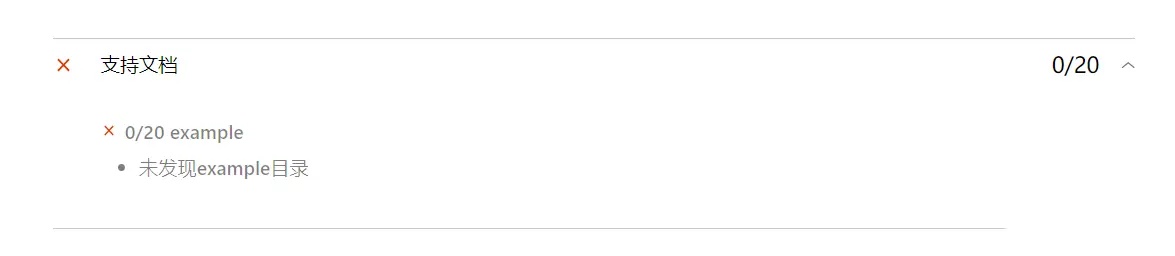
ide 啥时候支持下第一种结构呀!
创建组件演示项目
创建一个项目。
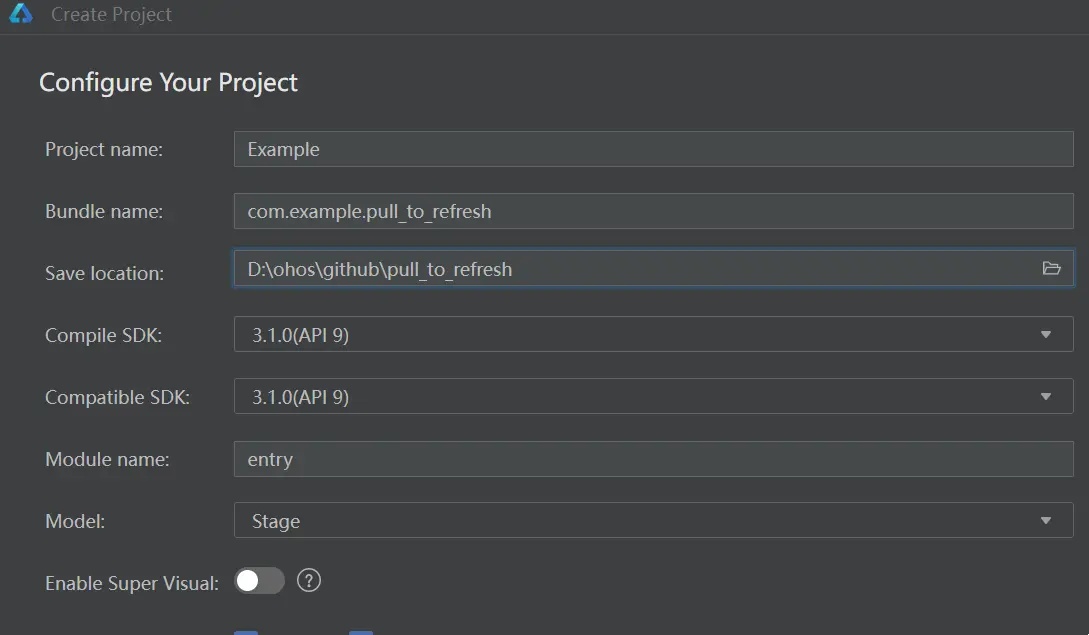
创建组件项目
创建一个 Static Libray (至于其他 Module 是什么意思,请自行查看文档)
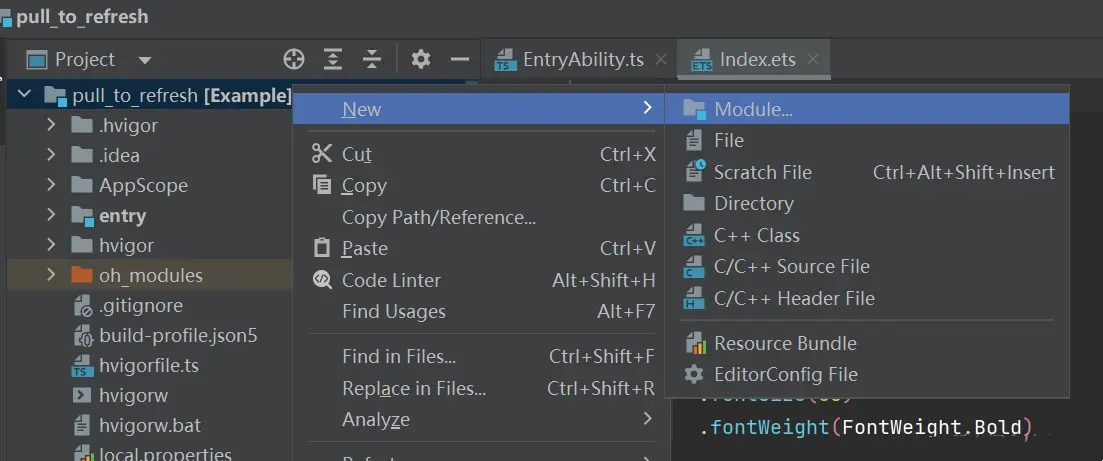
创建好的目录长这样子
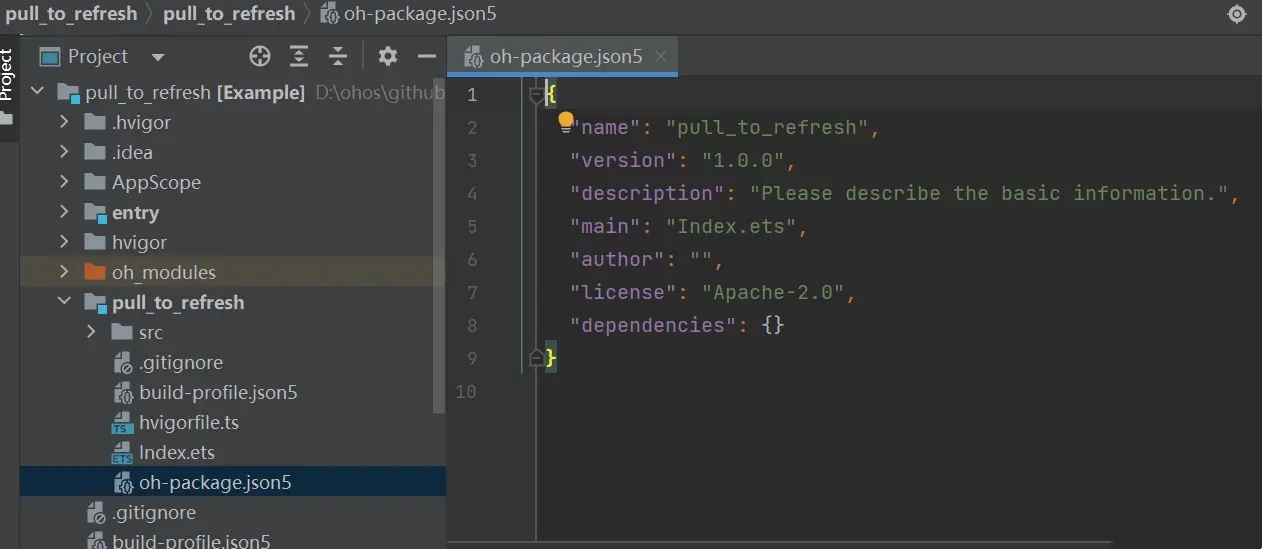
oh-package.json5 中是你的组件的信息。
这里你需要把名字改成 @candies/pull_to_refresh 即 (@你的组织名字/组件名字)
其他字段,请查看 OpenHarmony三方库中心仓
一个完整的 oh-package.json5 是这样的
{
  "license": "Apache-2.0",
  "devDependencies": {},
  "keywords": [
    "pull",
    "refresh",
    "pulltorefresh"
  ],
  "author": "zmtzawqlp",
  "name": "@candies/pull_to_refresh",
  "description": "Harmony plugin for building pull to refresh effects with PullToRefresh quickly.",
  "main": "index.ets",
  "repository": "https://github.com/HarmonyCandies/pull_to_refresh",
  "version": "1.0.0",
  "homepage": "https://github.com/HarmonyCandies/pull_to_refresh",
  "dependencies": {}
}
组件项目中 Index.ets 是入口,用于导出组件。跟 Flutter 中 lib 下面带 library 组件名; 标识的 dart 文件效果一样。
export { MainPage } from './src/main/ets/components/mainpage/MainPage'
引用组件项目
要想 Example 能引用到 pull_to_refresh, 你还需要到
entry\oh-package.json5 中添加引用,这样你就可以编写组件的示例了。
{
  "license": "",
  "devDependencies": {},
  "author": "",
  "name": "entry",
  "description": "Please describe the basic information.",
  "main": "",
  "version": "1.0.0",
  "dependencies": {
    "@candies/pull_to_refresh": "file:../pull_to_refresh"
  }
}
发布
在准备发布之前,请先阅读 贡献三方库 下面内容。
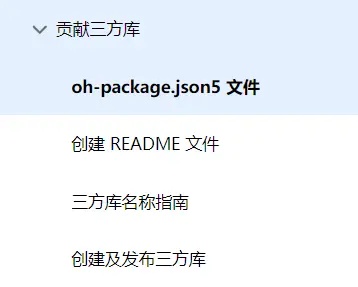
阅读操作完毕之后,你就可以打你的 har 包了。选中你的组件项目,在 Build 下面选择 Make Module 你的组件名字。编译完成之后,你就可以在组件项目路径 build\default\outputs\default\ 中找到你即将发布的包。
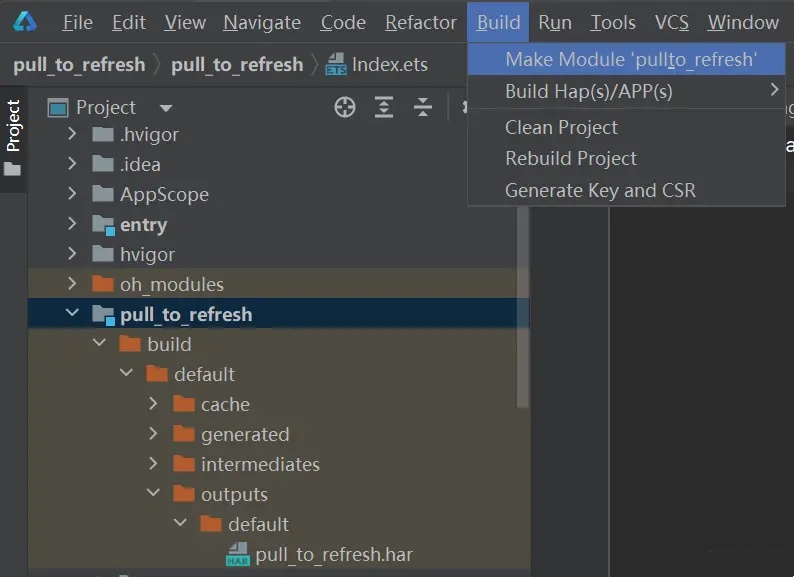
最后执行 ohpm publish xxx.har(xxx.har 为上传包的本地路径)。上传成功之后,你就可以看到你的个人中心里面的消息和状态了,耐心等待审核。
我遇到的上架的问题主要是组织名称(当然,这是我自己猜的,后面会聊到这个),ohos 不是普通三方开发者使用的前缀, ohos 的库都在 OpenHarmony-TPC: OpenHarmony third party components (gitee.com)下面。按道理你可以 pr 到这个下面,并且加入到 ohos 中,再发布。当然更欢迎大家能加入 candies 组织,大家一起生产有趣的小组件。

创建发布 Flutter Harmony插件到 pub.dev
创建插件
已有的插件
如果你是在已有的插件上面开发(已经有安卓Ios端支持的), 那么你可以在插件的根目录执行 flutter create -t plugin --platforms ohos ., 注意 . 不要忘记。
全新的插件
有些时候,Harmony平台上面单独需要插件,比如 华为账号登录, 那你可以执行 flutter create -t plugin --platforms ohos pluin_name。
开发一个插件
这个如果你是做过安卓Ios的插件,应该不难,api 全部是对齐的。当然你也可以使用pigeon,在Harmony上面也是支持的。感兴趣的可以参考Flutter 用 pigeon 写一个原生插件 这篇文章,这里就不赘述了。
HarmonyCandies
看了前面的内容,你是否已经有些迷茫?不用担心,HarmonyCandies 的成立,让你不再孤单前行。
HarmonyCandies (糖果群) 成立于 2020 年 9 月 10 日,聚集了一群热爱 Harmony 和 Flutter 的开发者们,糖果群致力于通过持续创建、维护和贡献高质量的库 (Harmony 和 Flutter Harmony插件),让 Harmony 更易用,助力开发者们更快、更高效地构建优秀的 Harmony 应用。
我们不仅在 ohpm.openharmony.cn 上发布了多个 Harmony实用的组件,还在 pub.dev 上发布了多个Flutter Harmony插件,不仅如此,我们还构建了很多实用工具、API、实战项目以及优质的技术文章(关注公众号 糖果代码铺),帮助 Harmony/Flutter 开发者们在职业生涯的不同阶段快速成长。
我们希望号召和帮助更多开发者们为 Harmony 开发更多实用的插件库 (小糖果),如果你有同样的目标和理想,糖果群欢迎你的加入!
关注 糖果代码铺 ,获取更多 Harmony/Flutter 开发资讯。
加入我们,创造更多精彩!
感谢豆豆给组织加的脚本,我们可以更方便的查看鸿蒙组件和 Flutter 鸿蒙插件了!
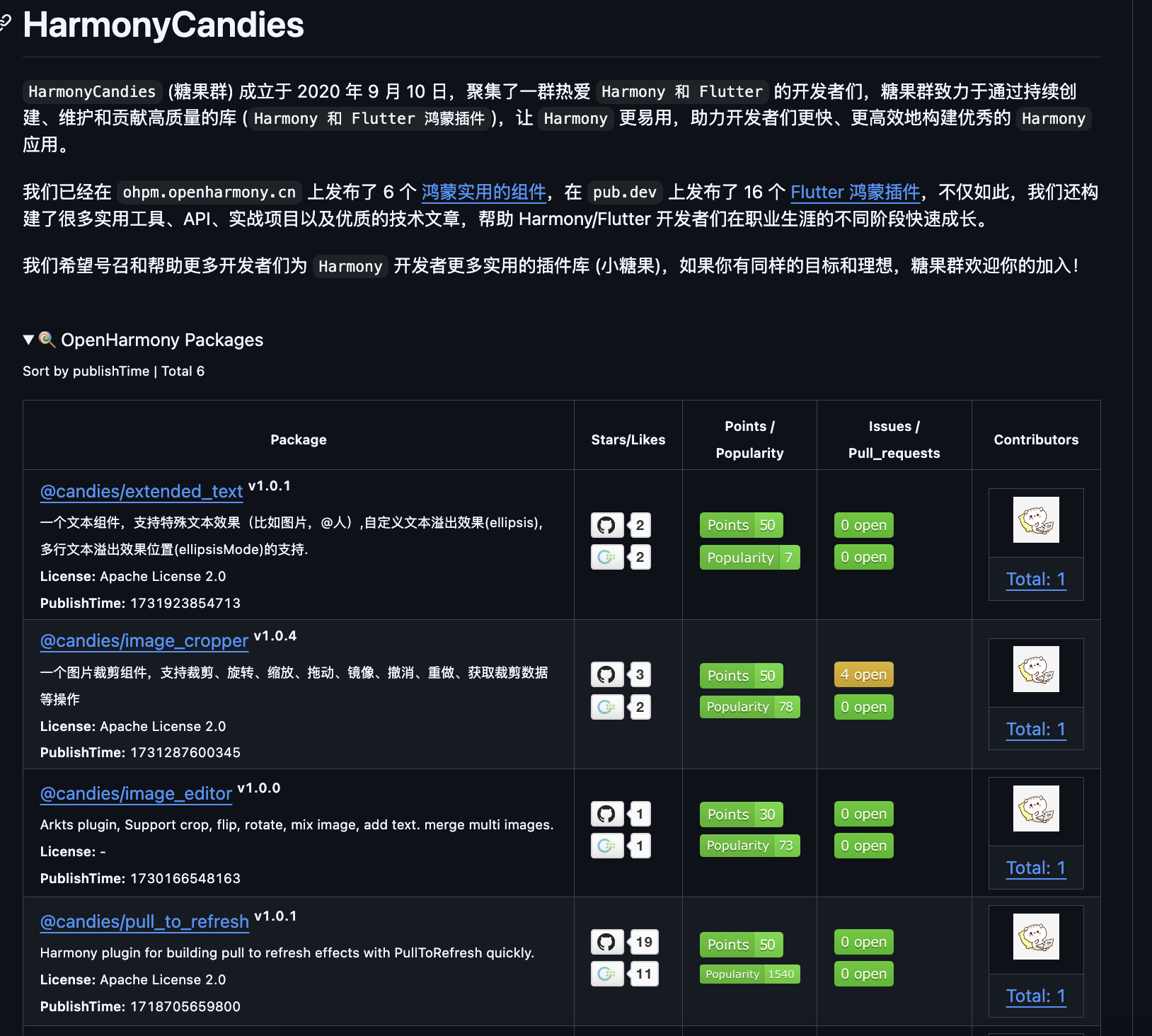
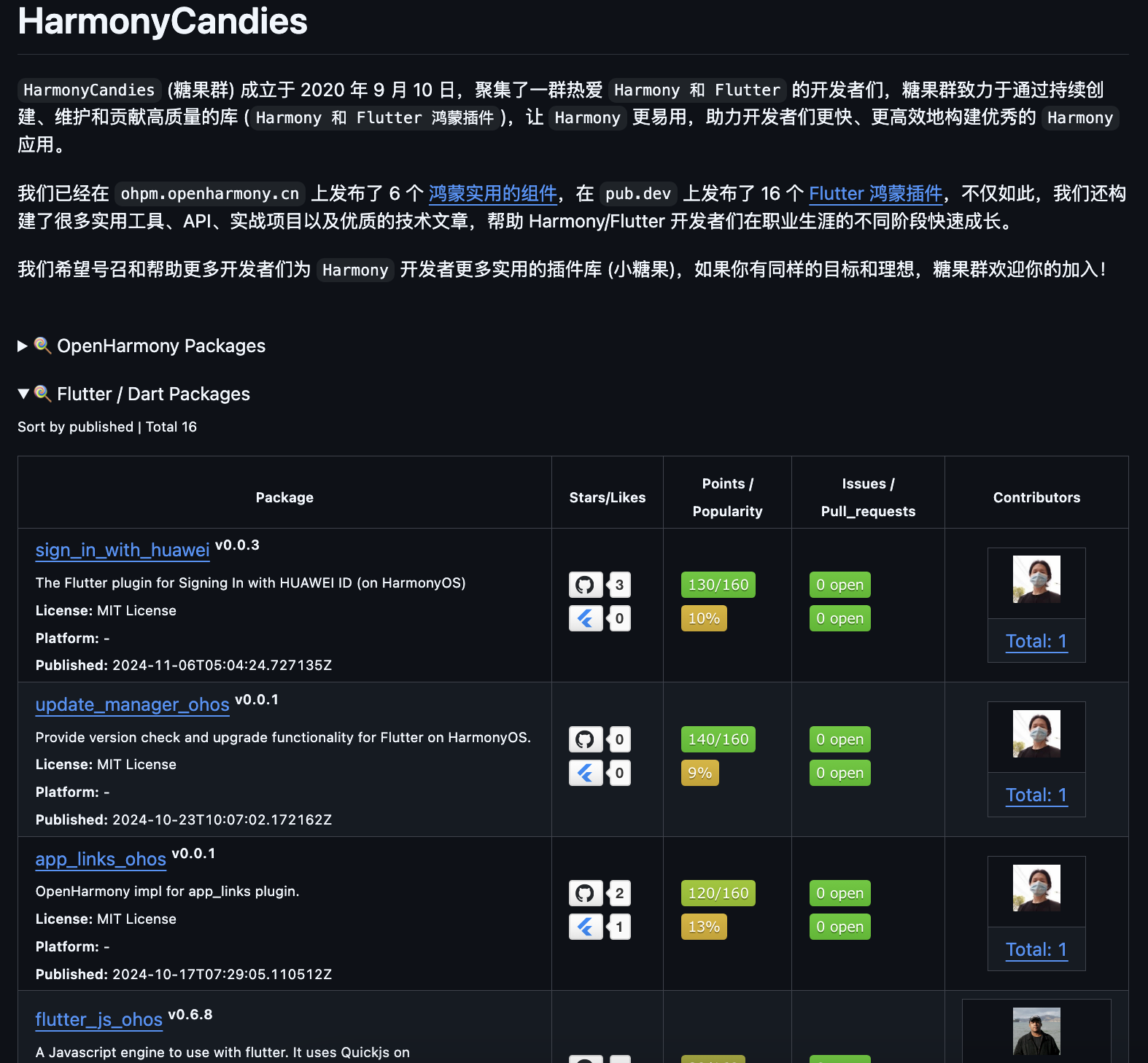
Harmony组件
我们在 ohpm.openharmony.cn 上发布了多个Harmony实用的组件,包括图片裁剪,列表,下拉刷新等。
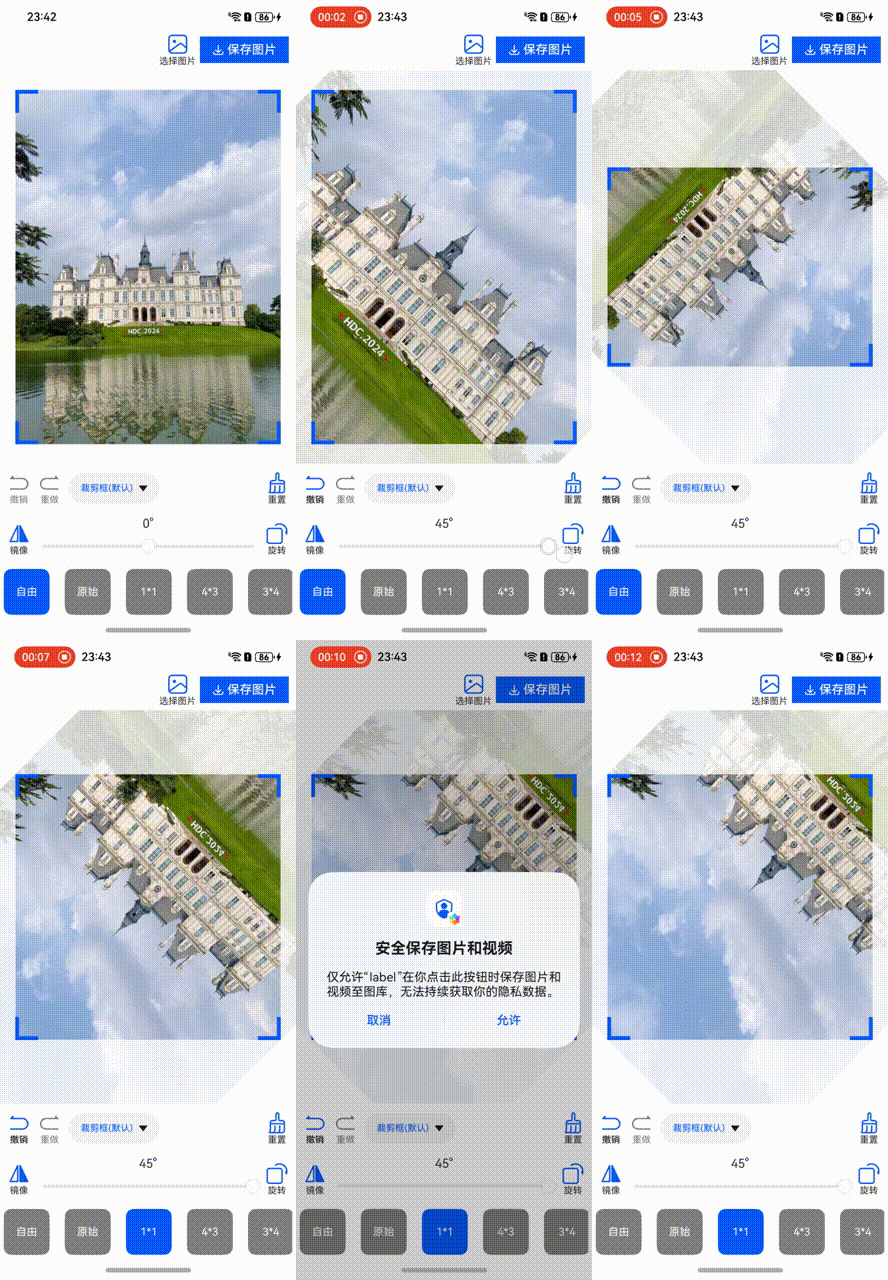
1000万点赞以内最好的图片裁剪组件
1000万点赞以内最好的图片裁剪组件, 从 Flutter 平台移植而来。支持裁剪、旋转、缩放、拖动、镜像、撤消、重做、获取裁剪数据等操作。
通过 ohpm install @candies/ies/image_cropper 安装。
支持自定义溢出效果的文本
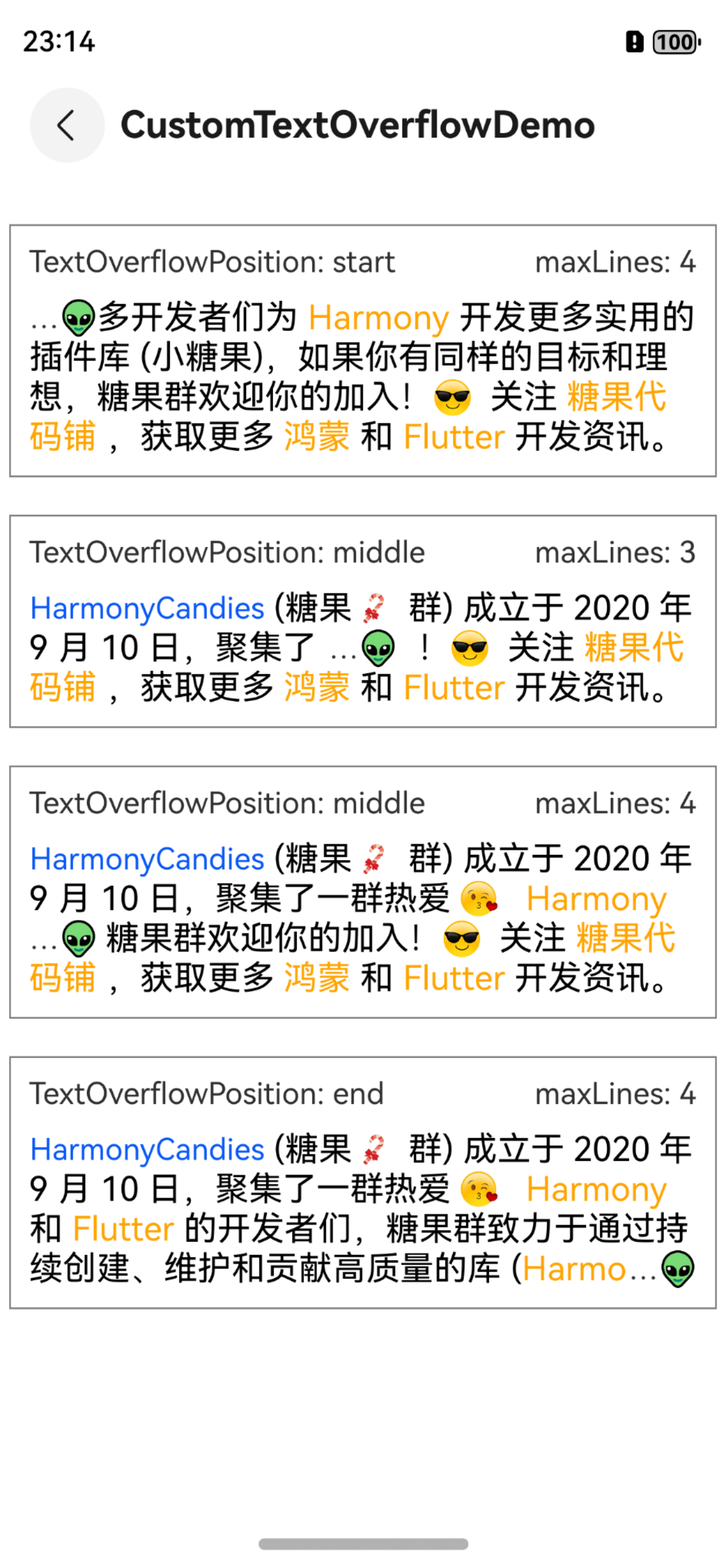
Harmony Text: 扶我起来, 从 Flutter 平台移植而来。支持特殊文本效果(比如图片,@人),自定义文本溢出效果(ellipsis), 多行文本溢出效果位置(ellipsisMode)的支持.
通过 ohpm install @candies/ies/extended_text 安装。
下拉刷新
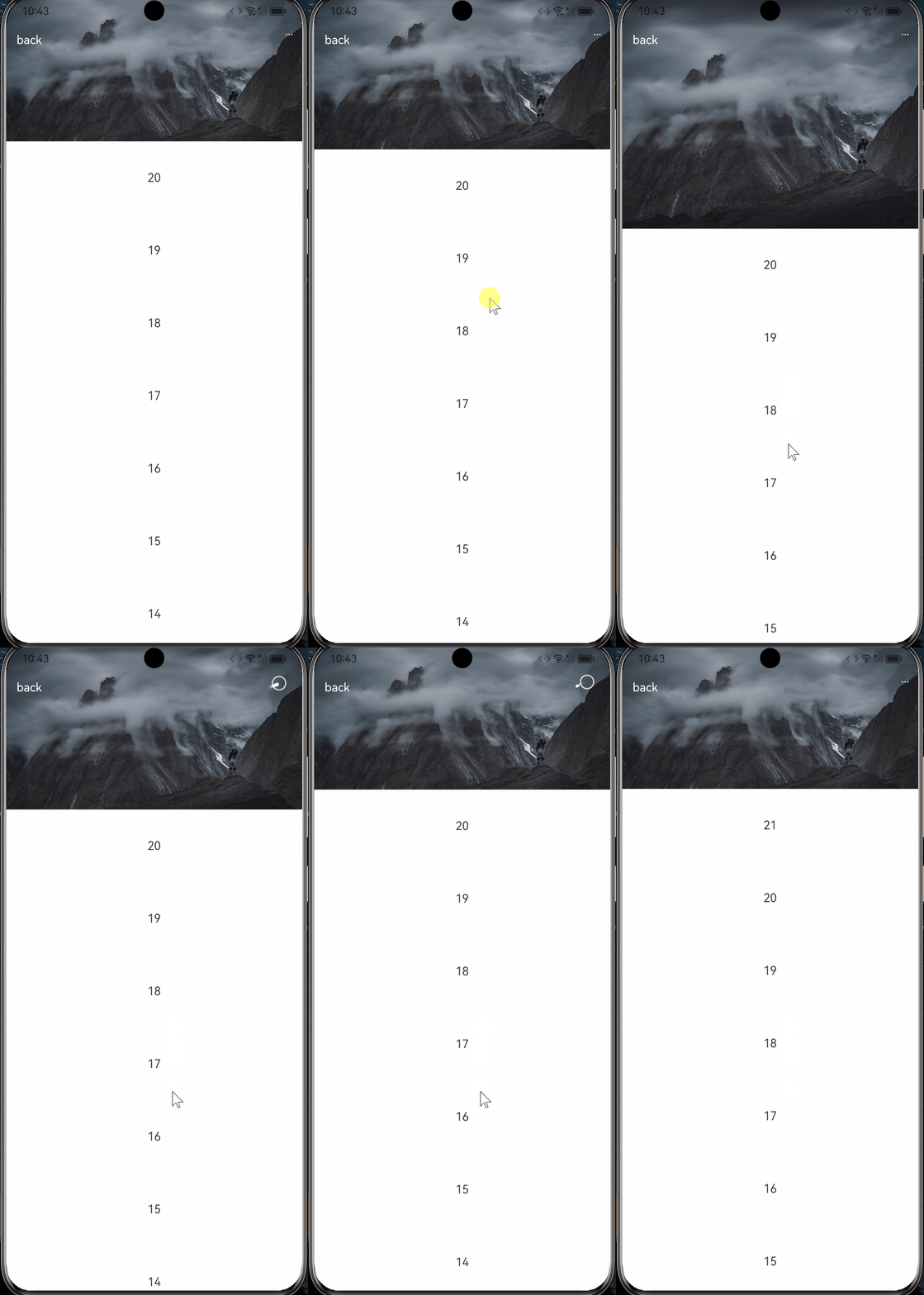
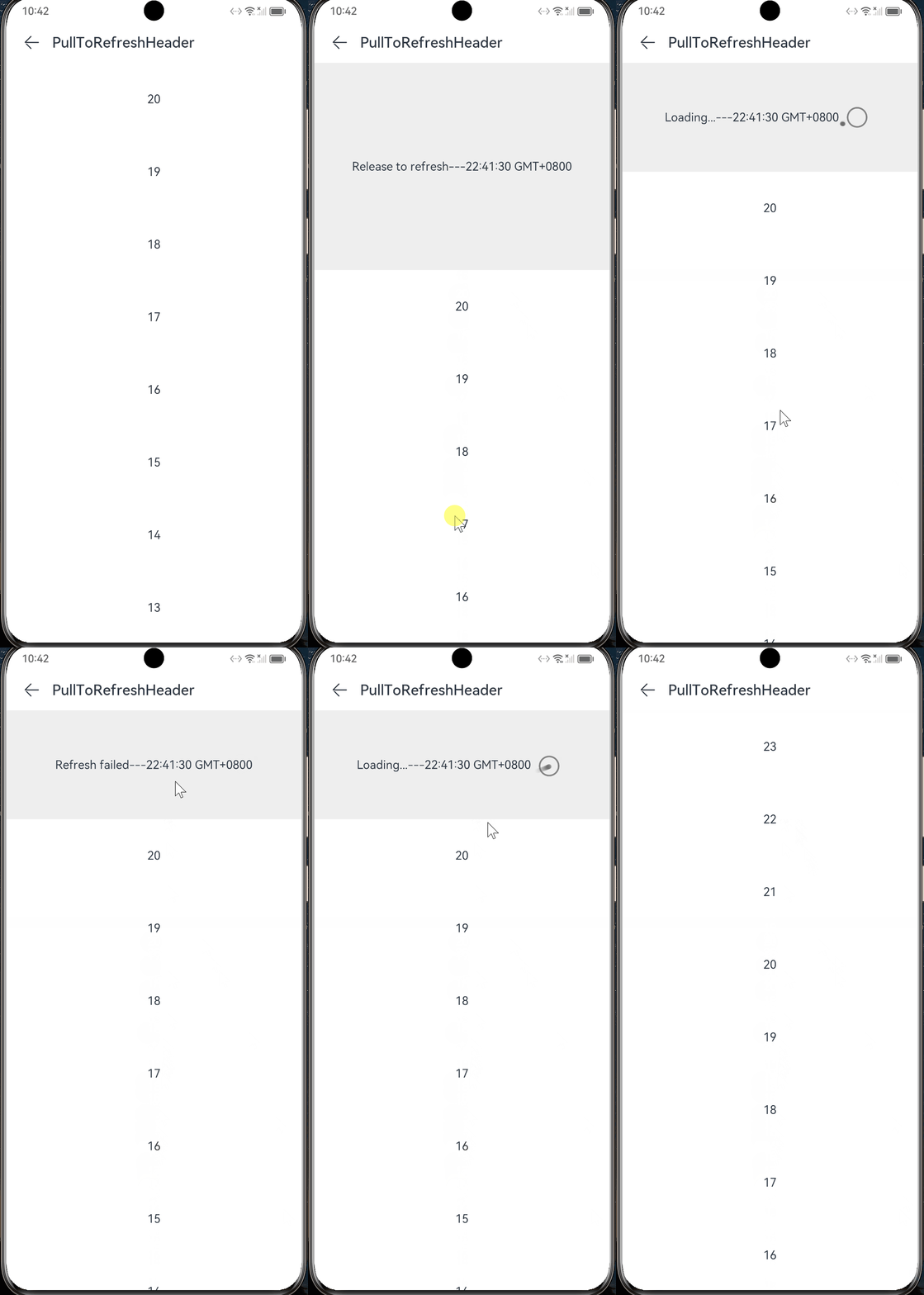
Flutter到Harmony,不是有手就行吗? (下拉刷新), 从 Flutter 平台移植而来。快速支持自定义下拉刷新效果。
通过 ohpm install @candies/ies/pull_to_refresh 安装。
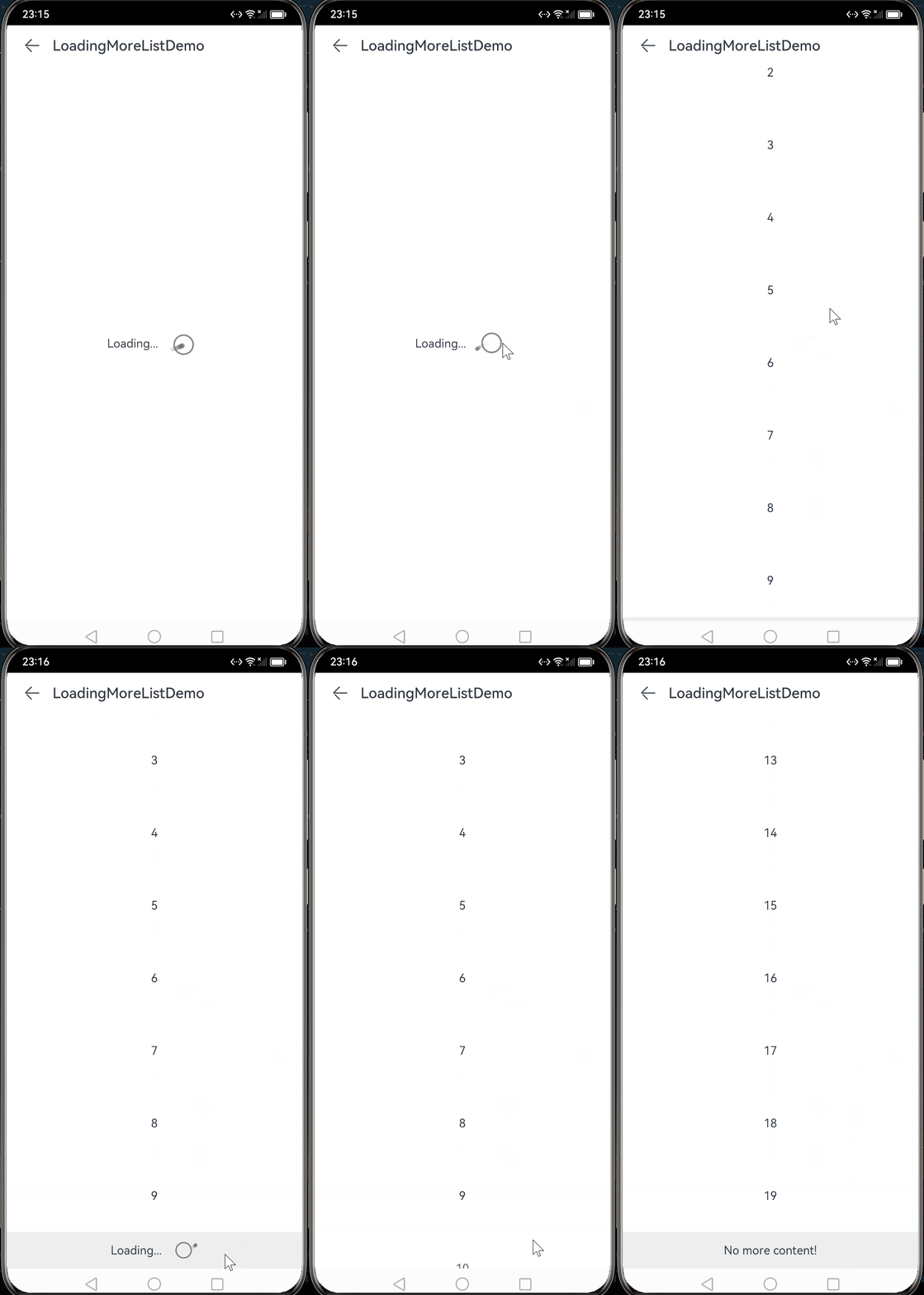
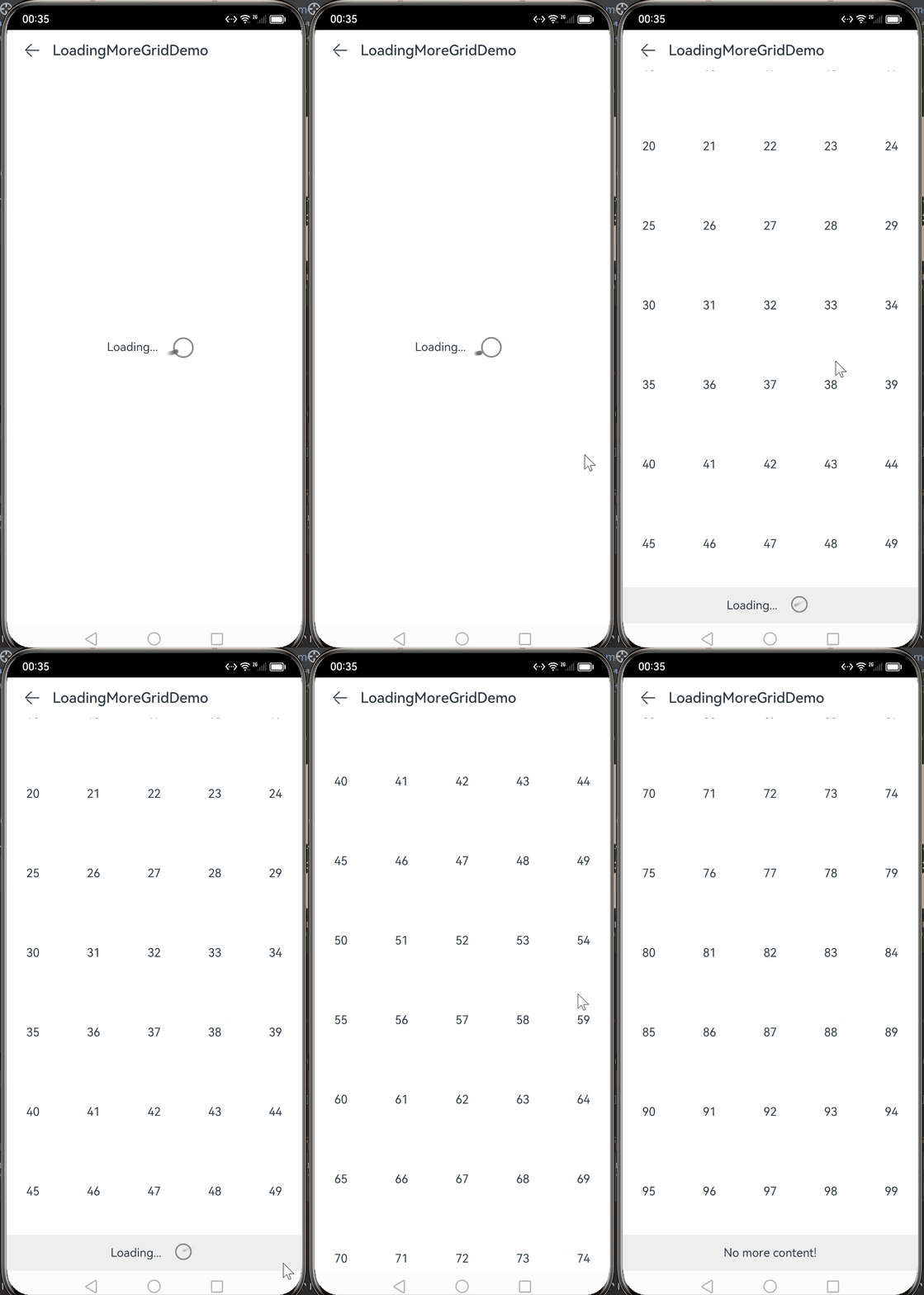
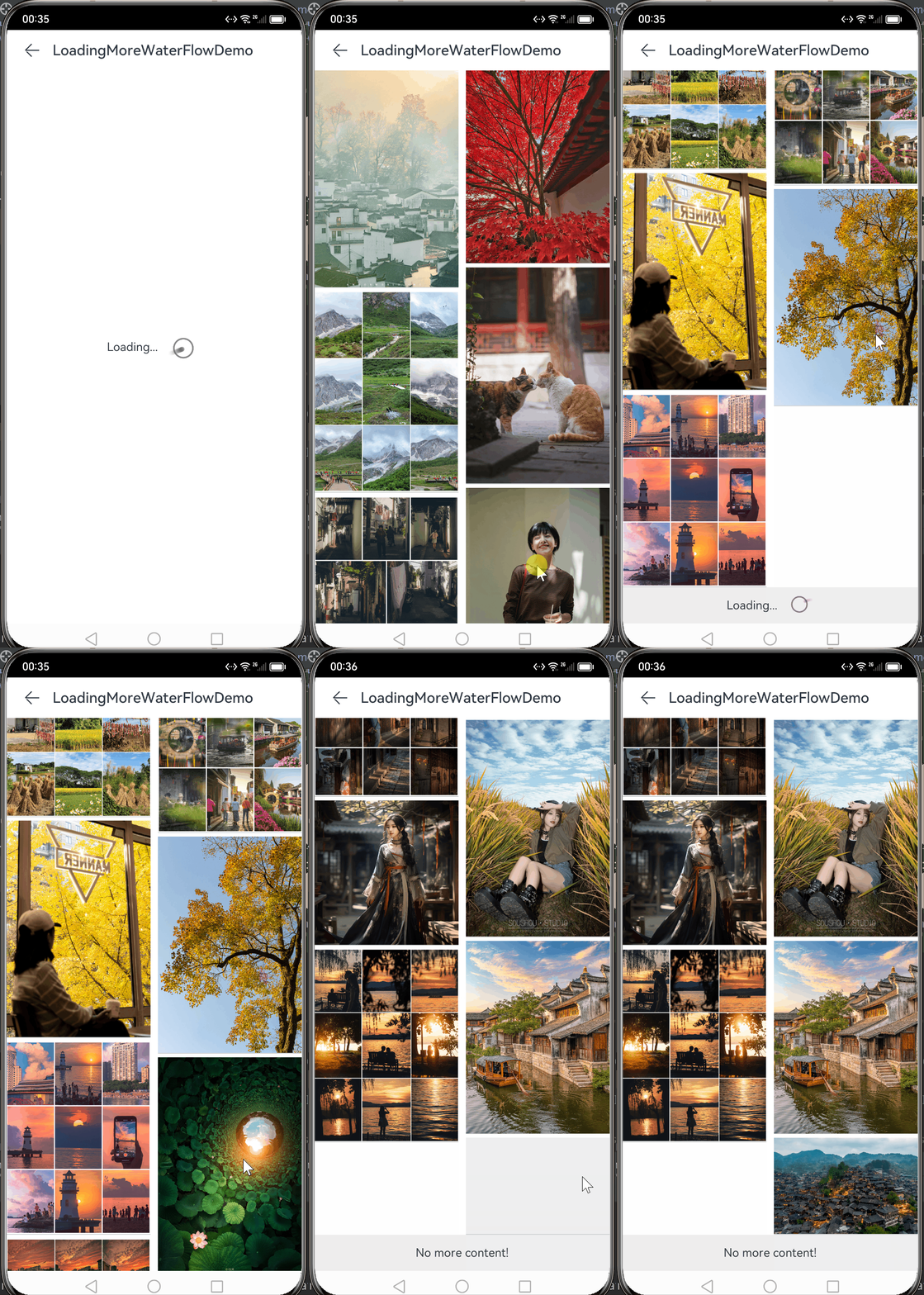
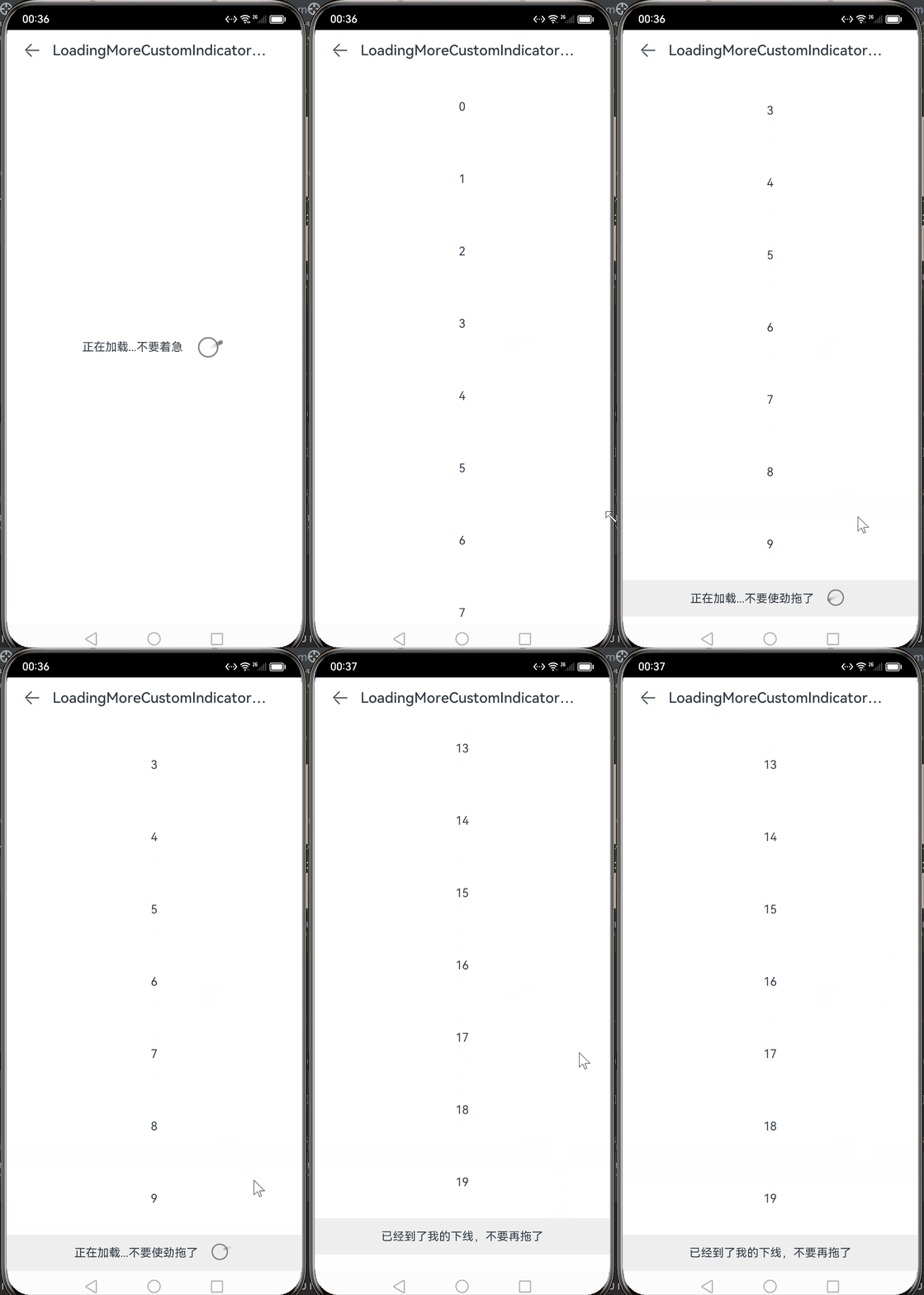
列表加载更多
Flutter到Harmony,不是有手就行吗? (列表加载更多), 从 Flutter 平台移植而来。支持各种列表的的加载更多。
通过 ohpm install @candies/ies/loading_more_list 安装。
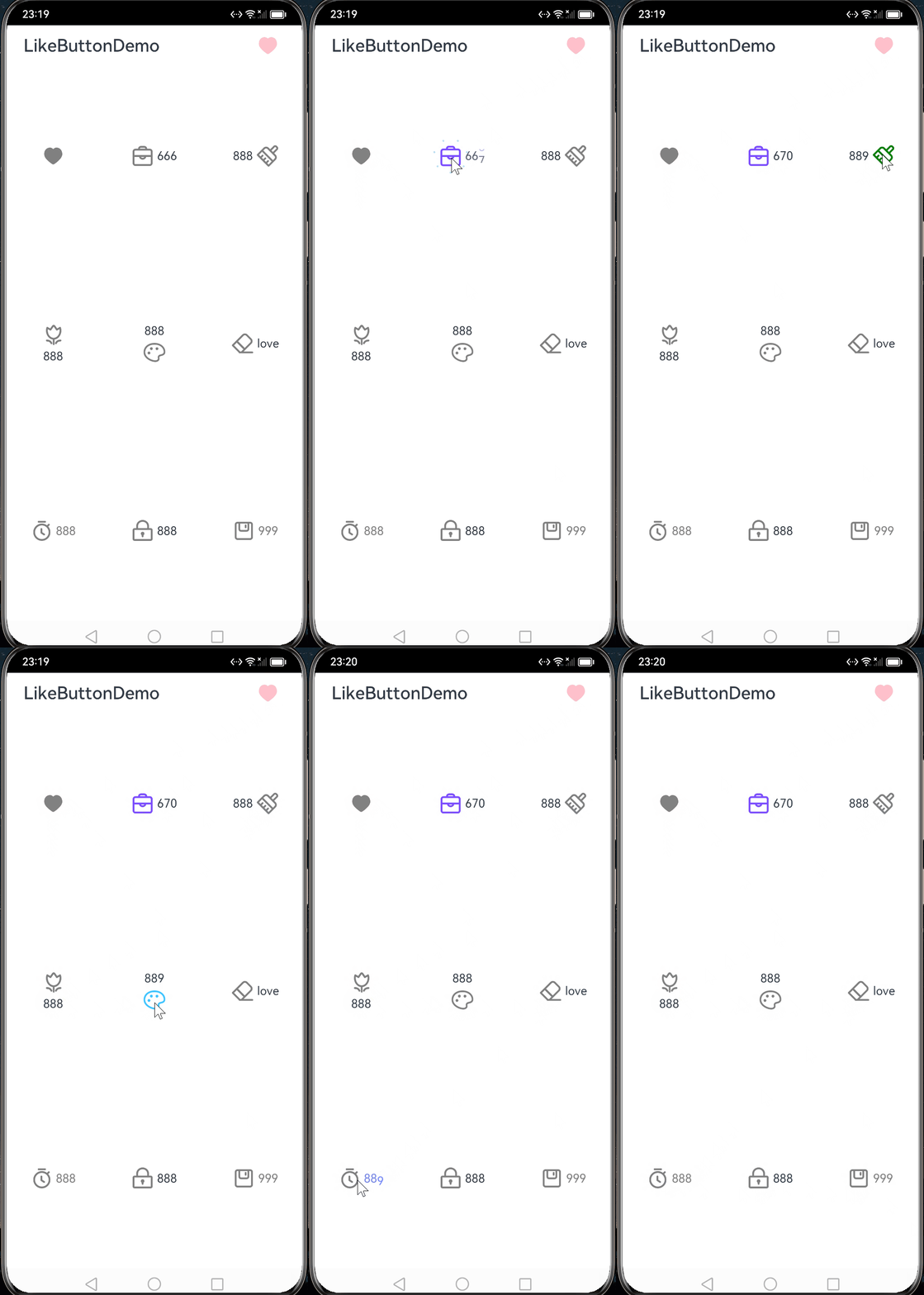
仿掘金点赞按钮
Flutter到Harmony,不是有手就行吗? (仿掘金点赞按钮), 从 Flutter 平台移植而来。支持掘金点赞效果和喜欢数量动画。
通过 ohpm install @candies/like_button 安装。
图片编辑 SDK
Flutter image_editor 的Harmony平台 SDK。支持裁剪、翻转、旋转、颜色矩阵、混合图像、添加文本和合并多张图片。
通过 ohpm install @candies/image_editor 安装。
| Feature |
Support |
| flip |
✅ |
| crop |
✅ |
| rotate |
✅ |
| scale |
✅ |
| mix image |
✅ |
| merge multi image |
✅ |
| add text |
✅ |
| draw point |
✅ |
| draw line |
✅ |
| draw rect |
✅ |
| draw circle |
✅ |
| draw path |
✅ |
| draw Bezier |
✅ |
Flutter Harmony化插件
夜琉璃君
夜琉璃君, Harmony商店已上线 一个木函 ,有上架的问题,可以群里问问他。
以下的插件,是他支持并且开源的。
微信 SDK
fluwx, 是一个微信SDK插件,它允许开发者调用 微信原生SDK
dependencies:
  fluwx: ^5.2.7
腾讯 SDK
tencent_kit, 支持调用 腾讯 SDK。
dependencies:
  tencent_kit: ^6.1.0
audio_streamer_ohos
audio_streamer 在 OpenHarmony 平台上的实现
dependencies:
  audio_streamer: 4.1.1
  audio_streamer_ohos: 0.0.2
增加权限:
{
  "module": {
    "requestPermissions": [
      {
        "name": "ohos.permission.MICROPHONE",
        "reason": "Microphone permission is required to record audio."
      }
    ]
  }
}
版本检查更新
update_manager_ohos Flutter HarmonyOS 平台上的版本检查和升级功能。
dependencies:
  update_manager_ohos: ^0.0.1
final hasUpdate = await UpdateManagerOhos.instance.checkUpdate();
debugPrint('hasUpdate: $hasUpdate');

/// 如果有可用的更新,弹出升级弹窗
if (hasUpdate) {
  final didShowDialog = await UpdateManagerOhos.instance.showUpdateDialog();
  debugPrint('didShowDialog: $didShowDialog');
}
app_links_ohos
app_links_ohos Flutter OpenHarmony 平台的深度链接 / 应用链接处理插件
app_links 在 OpenHarmony 平台的实现。
dependencies:
  app_links: ^3.4.5
  app_links_ohos: any
- 限制
在
OpenHarmony 平台上,系统限制从浏览器直接通过自定义 Scheme 打开应用,如果有需求,推荐使用 App Linking
- 添加
uris 配置到 OpenHarmony 项目的 module.json 文件中。更多细节请参考App Linking 文档
华为账号登录
sign_in_with_huawei,用于 HarmonyOS 上华为账号登录的 Flutter 插件
flutter pub add sign_in_with_huawei
或者将其添加到你的 pubspec.yaml 文件中
dependencies:
    sign_in_with_huawei: ^0.0.3
在开始之前,请先阅读 开发准备 和 华为账号登录(获取UnionID/OpenID)
final response = await SignInWithHuawei.instance.authById(
  forceLogin: true,
  state: "any state",
  nonce: "any nonce",
  idTokenAlg: IdTokenSignAlgorithm.PS256,
);

print(response);
// response.state
// response.authCode
// response.idToken
// response.openID
// response.unionID
当前插件仅实现了 华为账号登录(获取UnionID/OpenID) 。
flutter_js_ohos
flutter_js_ohos,用于 HarmonyOS 上华为账号登录的 Flutter 插件
flutter_js 在 OpenHarmony 平台的实现。
dependencies:
  flutter_js_ohos: any
plus 插件
[Request]: support HarmonyOS · Issue #2480 · fluttercommunity/plus_plugins (github.com) 作者对于适配Harmony平台兴趣不大,所以这里决定 HarmonyCandies (github.com) 来维护。
wakelock_plus_ohos
地址:https://github.com/HarmonyCandies/wakelock_plus_ohos
引用:
dependencies:
  wakelock_plus: 1.1.4
  wakelock_plus_ohos: any
device_info_plus_ohos
地址:https://github.com/HarmonyCandies/device_info_plus_ohos
引用:
dependencies:
  device_info_plus: any
  device_info_plus_ohos: any
注意,有 2 个 uid 是系统级别的,需要应用单独申请。
/// Requires permission: ohos.permission.sec.ACCESS_UDID (System permission, only open to system apps).
  /// Device serial number.
  /// 设备序列号。
  final String serial;

  /// Requires permission: ohos.permission.sec.ACCESS_UDID (System permission, only open to system apps).
  /// Device Udid.
  /// 设备Udid。
  final String udid;
使用
import 'package:device_info_plus_ohos/device_info_plus_ohos.dart';

final DeviceInfoOhosPlugin deviceInfoOhosPlugin = DeviceInfoOhosPlugin();

OhosDeviceInfo deviceInfo = await deviceInfoOhosPlugin.ohosDeviceInfo;

// Requires permission: ohos.permission.sec.ACCESS_UDID (System permission, only open to system apps).
OhosAccessUDIDInfo accessUDIDInfo = await deviceInfoOhosPlugin.ohosAccessUDIDInfo;
network_info_plus_ohos
地址:https://github.com/HarmonyCandies/network_info_plus_ohos
引用:
dependencies:
  network_info_plus: any
  network_info_plus_ohos: any
在你的项目的 module.json5 文件中增加以下权限设置。
requestPermissions: [
      {"name" :  "ohos.permission.INTERNET"},
      {"name" :  "ohos.permission.GET_WIFI_INFO"},
    ],
sensors_plus_ohos
地址:https://github.com/HarmonyCandies/sensors_plus_ohos
引用:
dependencies:
  sensors_plus: 4.0.2
  sensors_plus_ohos: any
在你的项目的 module.json5 文件中增加以下权限设置。
requestPermissions: [
      {"name" :  "ohos.permission.ACCELEROMETER"},
      {"name" :  "ohos.permission.GYROSCOPE"},
    ],
connectivity_plus_ohos
地址:https://github.com/HarmonyCandies/connectivity_plus_ohos
引用:
dependencies:
  connectivity_plus: 5.0.2
  connectivity_plus_ohos: any
在你的项目的 module.json5 文件中增加以下权限设置。
requestPermissions: [
      {"name" :  "ohos.permission.INTERNET"},
      {"name" :  "ohos.permission.GET_NETWORK_INFO"},
    ],
battery_plus_ohos
地址:https://github.com/HarmonyCandies/battery_plus_ohos
引用:
dependencies:
  battery_plus: 5.0.3
  battery_plus_ohos: any
package_info_plus_ohos
地址:https://github.com/HarmonyCandies/package_info_plus_ohos
引用:
dependencies:
  package_info_plus: 4.2.0
  package_info_plus_ohos: any
糖果插件
flutter_image_compress
地址:https://github.com/fluttercandies/flutter_image_compress
引用:
dependencies:
  flutter_image_compress: ^2.2.0
| Feature |
Android |
iOS |
Web |
macOS |
OpenHarmony |
| method: compressWithList |
✅ |
✅ |
✅ |
✅ |
✅ |
| method: compressAssetImage |
✅ |
✅ |
✅ |
✅ |
✅ |
| method: compressWithFile |
✅ |
✅ |
❌ |
✅ |
✅ |
| method: compressAndGetFile |
✅ |
✅ |
❌ |
✅ |
✅ |
| format: jpeg |
✅ |
✅ |
✅ |
✅ |
✅ |
| format: png |
✅ |
✅ |
✅ |
✅ |
✅ |
| format: webp |
✅ |
✅ |
[🌐][webp-compatibility] |
❌ |
✅ |
| format: heic |
✅ |
✅ |
❌ |
✅ |
✅ |
| param: quality |
✅ |
✅ |
[🌐][webp-compatibility] |
✅ |
✅ |
| param: rotate |
✅ |
✅ |
❌ |
✅ |
✅ |
| param: keepExif |
✅ |
✅ |
❌ |
✅ |
❌ |
flutter_image_editor
地址:https://github.com/fluttercandies/flutter_image_editor
引用:
dependencies:
  image_editor: ^2.2.0
| Feature |
Android |
iOS |
OpenHarmony |
| flip |
✅ |
✅ |
✅ |
| crop |
✅ |
✅ |
✅ |
| rotate |
✅ |
✅ |
✅ |
| scale |
✅ |
✅ |
✅ |
| matrix |
✅ |
✅ |
❌ |
| mix image |
✅ |
✅ |
✅ |
| merge multi image |
✅ |
✅ |
✅ |
| draw point |
✅ |
✅ |
✅ |
| draw line |
✅ |
✅ |
✅ |
| draw rect |
✅ |
✅ |
✅ |
| draw circle |
✅ |
✅ |
✅ |
| draw path |
✅ |
✅ |
✅ |
| draw Bezier |
✅ |
✅ |
✅ |
| Gaussian blur |
❌ |
❌ |
❌ |
flutter_photo_manager
注意,由于隐私设计的变更,该插件没法在后续的版本中使用了,Harmony将不再支持直接获取相册的图片文件。
地址:https://github.com/fluttercandies/flutter_photo_manager
引用:
注意 photo_manager_image_provider 需要限制一下版本。
dependencies:
  photo_manager: ^3.1.0
dependency_overrides:
  photo_manager_image_provider: ^1.1.1
暂时支持下面的功能,目前Harmony只支持图片和视频 2 种资源类型。
| Feature |
OpenHarmony |
| getAssetPathList |
✅ |
| getAssetCountFromPath |
✅ |
| fetchPathProperties |
✅ |
| getAssetCount |
✅ |
| getAssetListPaged |
✅ |
| getOriginBytes |
✅ |
| getThumb |
✅ |
| getAssetListRange |
✅ |
| getAssetsByRange |
✅ |
| deleteWithIds |
✅ |
| getColumnNames |
✅ |
| saveImage |
✅ |
| saveImageWithPath |
✅ |
| saveVideo |
✅ |
| requestPermissionExtend |
✅ |
| ignorePermissionCheck |
✅ |
| log |
✅ |
| notify |
✅ |
其他插件
permission_handler_ohos
地址:https://github.com/HarmonyCandies/permission_handler_ohos
引用:
dependencies:
 permission_handler_ohos: any
权限列表来自: https://gitee.com/openharmony/docs/blob/OpenHarmony-4.1-Release/zh-cn/application-dev/security/AccessToken/permissions-for-all.md
由于 OpenHarmony 和 HarmonyOS 的权限差异以及Harmony版本的高速迭代,检查请求权限的 api 是传递的权限的字符串全称,如果你发现 PermissionOhos 枚举中没有某个权限,你可以直接传递权限的字符串全称。等Harmony版本稳定下来了,会再同步权限列表到枚举中。
权限枚举列表是由文档自动生成的。
// GENERATED CODE - DO NOT MODIFY MANUALLY
// **************************************************************************
// Auto generated by https://github.com/HarmonyCandies/permission_handler_ohos/bin/main.dart
// **************************************************************************
// https://gitee.com/openharmony/docs/blob/OpenHarmony-4.1-Release/zh-cn/application-dev/security/AccessToken/permissions-for-all.md
// ignore_for_file: constant_identifier_names,slash_for_doc_comments

/// The Permissions of OpenHarmony
/// total: 44
enum PermissionOhos {
  /// ohos.permission.USE_BLUETOOTH
  ///
  /// 允许应用查看蓝牙的配置。
  ///
  /// 权限级别:normal
  ///
  /// 授权方式:system_grant
  ///
  /// ACL使能:true
  ///
  /// 起始版本:8

  use_bluetooth(
    name: 'ohos.permission.USE_BLUETOOTH',
    permissionLevel: 'normal',
    grantType: 'system_grant',
    aclEnabled: true,
    startVersion: 8,
  ),
请认真阅读官方关于权限的文档 https://gitee.com/openharmony/docs/blob/OpenHarmony-4.1-Beta1/zh-cn/application-dev/security/AccessToken/app-permission-mgmt-overview.md#%E5%BA%94%E7%94%A8%E6%9D%83%E9%99%90%E7%AE%A1%E6%8E%A7%E6%A6%82%E8%BF%B0
在你的项目的 module.json5 文件中增加对应需要权限设置,比如:
requestPermissions: [
      { name: "ohos.permission.READ_CALENDAR" },
      { name: "ohos.permission.WRITE_CALENDAR" },
    ],
检查权限状态
import 'package:device_info_plus_ohos/device_info_plus_ohos.dart';

    final PermissionStatusOhos status =
        await PermissionHandlerOhos.checkPermissionStatus(
            PermissionOhos.read_calendar.name);
请求单个权限
final PermissionStatusOhos status =
        await PermissionHandlerOhos.requestPermission(
      PermissionOhos.read_calendar.name,
    );
请求多个权限
final Map<String, PermissionStatusOhos> statusMap =
        await PermissionHandlerOhos.requestPermissions([
      PermissionOhos.read_calendar.name,
      PermissionOhos.write_calendar.name,
    ]);
打开设置页面
PermissionHandlerOhos.openAppSettings();
audio_streamer_ohos
地址:https://github.com/HarmonyCandies/audio_streamer_ohos
引用:
dependencies:
  audio_streamer: 4.1.1
  audio_streamer_ohos: any
audio_streamer 在 OpenHarmony 平台上的实现
在 OpenHarmony 项目的 module.json 文件中添加 ohos.permission.MICROPHONE 权限
{
  "module": {
    "requestPermissions": [
      {
        "name": "ohos.permission.MICROPHONE",
        "reason": "Microphone permission is required to record audio."
      }
    ]
  }
}
geolocator
地址: HarmonyCandies/geolocator_ohos: The OpenHarmony implementation of geolocator. (github.com)
引用:
dependencies:
  geolocator: any
  geolocator_ohos: ^0.0.1
在你的项目的 module.json5 文件中增加以下权限设置。
"requestPermissions": [
      {"name" :  "ohos.permission.KEEP_BACKGROUND_RUNNING"},
      {
        "name": "ohos.permission.LOCATION",
        "reason": "$string:EntryAbility_label",
        "usedScene": {
          "abilities": [
            "EntryAbility"
          ],
          "when": "inuse"
        }
      },
      {
        "name": "ohos.permission.APPROXIMATELY_LOCATION",
        "reason": "$string:EntryAbility_label",
        "usedScene": {
          "abilities": [
            "EntryAbility"
          ],
          "when": "inuse"
        }
      },
      {
        "name": "ohos.permission.LOCATION_IN_BACKGROUND",
        "reason": "$string:EntryAbility_label",
        "usedScene": {
          "abilities": [
            "EntryAbility"
          ],
          "when": "inuse"
        }
      },
    ]
Harmony特有的方法
CountryCode? countryCode= await geolocatorOhos.getCountryCode();
(逆)地理编码转化
final position = await geolocatorOhos.getCurrentPosition(
      locationSettings: const CurrentLocationSettingsOhos(
        priority: LocationRequestPriority.firstFix,
        scenario: LocationRequestScenario.unset,
      ),
    );

    // ohos only
    if (await geolocatorOhos.isGeocoderAvailable()) {
      //
      var addresses = await geolocatorOhos.getAddressesFromLocation(
        ReverseGeoCodeRequest(
          latitude: position.latitude,
          longitude: position.longitude,
          locale: 'zh',
          maxItems: 1,
        ),
      );

      for (var address in addresses) {
        if (kDebugMode) {
          print('ReverseGeoCode address:$address');
        }
        var position = await geolocatorOhos.getAddressesFromLocationName(
          GeoCodeRequest(description: address.placeName ?? ''),
        );
        if (kDebugMode) {
          print('geoCode position:$position');
        }
      }
    }
vibration
地址:flutter_vibration/vibration_ohos at master · benjamindean/flutter_vibration (github.com)
引用:
dependencies:
  vibration: any
  vibration_ohos: any
在你的项目的 module.json5 文件中增加以下权限设置。
"requestPermissions": [
         {"name" :  "ohos.permission.VIBRATE"},
    ]
vibrateEffect and vibrateAttribute are only exist in VibrationOhos.
(VibrationPlatform.instance as VibrationOhos).vibrate(
   vibrateEffect: const VibratePreset(count: 100),
   vibrateAttribute: const VibrateAttribute(
     usage: 'alarm',
   ),
 );
纯 Flutter 库
extended_text
dependencies:
  extended_text: 10.0.1-ohos // 适配 3.7.12
  extended_text: 13.0.2      // 适配 3.22.0
extended_text_field
dependencies:
  extended_text_field: 11.0.1-ohos // 适配 3.7.12
  extended_text_field: 15.0.0-ohos // 适配 3.22.0
flutter_platform_utils
HarmonyCandies/flutter_platform_utils: A utility to check the platform for ohos (github.com)
如果您的库支持 OpenHarmony 平台,并且有 Platform.isOhos 的判断,那么建议换成 PlatformUtils.isOhos 避免对其他非Harmony用户在非Harmony分支编译的影响。
结语
写Harmony不孤独,欢迎加入 Harmony Candies 一起学(tu)习(cao)。
屡次被拒蛋哥 ,Harmony上架屡次被拒的蛋哥,不懂上架的可以到群里问他。劝退夜琉璃君, 不会Harmony没关系,夜琉璃君 从入门到劝退一条龙服务。

Harmony7哥,写了不少Harmony相关的文章,相信他,你也可以变成光。
对了,微信公众号 糖果代码铺 已经开张了,同步更新的 Harmony 和 Flutter 资讯,欢迎关注。
爱 Harmony,爱 糖果,欢迎加入Harmony Candies,一起生产可爱的Harmony小糖果QQ群:981630644
纯血Harmony 还是 双系统?
目前看来 HarmonyOS Next 万事俱备,就差一个消费级的手机带动生态了。
11 月 26 日,我们期待一下,看看 Mate70 系列到底是 纯血Harmony, 还是 双系统 路线。能不能成,感觉就看这一波了!评论区留下你们的看法!

关注微信公众号 糖果代码铺 ,获取更多 OpenHarmony/Flutter 动态信息。



 发布问题
发布问题 发布文章
发布文章